18 June 2026
Vercel Analytics
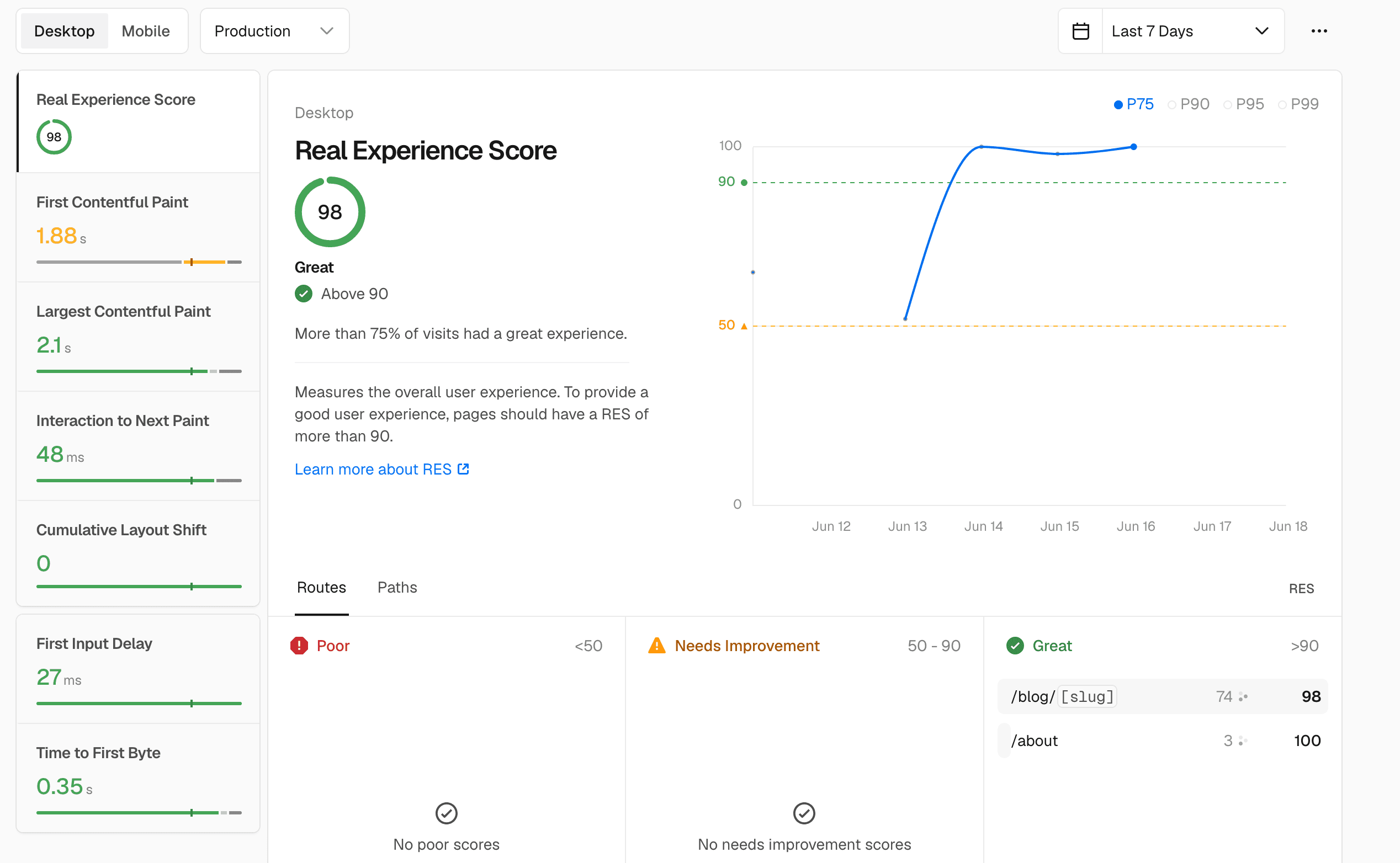
Using Vercel analytics to record page performance
On Vercel's free tier you can get access to the following analytics tools by adding a simple script to your pages:
- Analytics
- Speed Insights
- Observability
Analytics
 With analytics you can get immediate access to data about page views, bounce rates, countries and a lot more. It's as simple as adding the Vercel analytics package and code snippet to your
 layout.[t|j]s page, e.g.
import { Analytics } from '@vercel/analytics/next'; //-------> add this to top

export default function RootLayout({ children }) {
...
 <Analytics /> //-------> add this at the bottom of the RootLayout function
...
});
Once redeployed you'll see dashboard information similar to the above.
Speed Insights
Speed insights gives you core web vitals:
 And the implementation is almost identical to the analytics tag with the exception that the import type is different, i.e.
import { SpeedInsights } from '@vercel/speed-insights/next'; //-------> add this to top

export default function RootLayout({ children }) {
...
 <SpeedInsights /> //-------> add this at the bottom of the RootLayout function
...
});
You'll then be able to record details metrics such as First Contentful Paint
Observability
This is run on the server and measures incoming requests, client errors and function metrics. On the free plan you'll get a basic dashboard to view these metrics.
